Their hometown
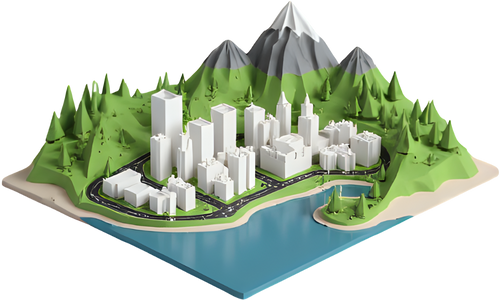
The streets they grew up on, with every building standing on the real hills and the river or lake cut in. A small, dense area of about 2–4 km reads best.
 TerraPrinter
Make your own
TerraPrinter
Make your own
A hometown, the street where you met, a mountain they summited or the route of their first marathon, printed in real 3D with a frame and a name plate. Pick an idea, swap in your own place, and download a print-ready file. Free, no account needed.
Each idea opens the app on an example with the settings that suit it. Then search for your own place and draw the area around it.
The streets they grew up on, with every building standing on the real hills and the river or lake cut in. A small, dense area of about 2–4 km reads best.

A round keepsake centred on the café, campus, church or beach where it happened. Put a date or both names on the plate instead of the place name.

The whole peak in real elevation, with its trails and glacial lakes. A summit day is a natural thing to put on the plate.

Load the .gpx file from their watch or app and the route is raised over the terrain as its own ridge, in its own colour in a 3MF. Several routes can go on one model.

Real building heights from OpenStreetMap make a city stand up off the base. Pick a downtown of about 2–3 km so the towers stay a printable size.

The valley town and the peaks above it, with contour lines for a piste-map look. Snow-white filament above a colour change works well here.
The frame and plate work on single-piece models. For a model split into tiles or puzzle pieces, leave them off.
The ideas above use 150 mm, which with the 8 mm frame rim on each side fits most print beds. You can set anything from 50 to 500 mm; for a model bigger than your bed, use Grid slice on the right-hand toolbar to cut it into tiles and join them after printing.
On a multi-colour printer, download 3MF: terrain, water, roads, buildings and routes come in as separate parts to give each a filament. On a single-colour printer, a plain white or grey matte filament shows the relief best, and a filament swap at a set layer height can make water or snowy peaks a different colour.
Finer layers (around 0.12–0.16 mm) bring out gentle hills and small buildings, at the cost of a longer print. The models sit flat on their base, so they usually print without supports.
After generating, the app shows a rough filament weight and print time for PLA, PETG, ABS or TPU. As a rough guide, a 150 mm model takes several hours, more for tall mountains, fine layers or multi-colour prints.
A thin wash of dark acrylic paint wiped off the high points, or a light dry-brush of white on the peaks, makes a single-colour print look finished. Felt pads under the base protect the shelf.
The built-in frame gives the model a clean edge and holds the name plate. A deep box frame or a small wooden stand finishes it. Before printing, use View in your room on a phone to see the model on a real table in AR.
Download the STL or 3MF and have it printed nearby:
Mention the model's size and that it prints flat on its base without supports; that's usually all a printer operator needs to quote.
Start a week or two before the day. A model takes hours to print, it is worth leaving time for a second attempt or a finer reprint, and a library or print service may need a few days, plus shipping. Making the file takes only a few minutes, so you can make it now and print whenever suits you.
442 ready-made 3D maps of mountains, cities, coastlines and other worlds, and a gallery of models other people have shared. For a space fan, try Mars or the Moon.
Free, no account needed, and the file is ready in about a minute.
Open TerraPrinterMaking a set for a class instead? See the free classroom lesson kits.